
A Complete Guide to iPhone Repair: How to Save Your Device in 2026
Modern iPhones—especially the iPhone 17 Pro Max—are masterpieces of engineering. Attempting a DIY fix without the right calibration software can lead to "Unknown Part" warnings or a loss of functionality. It's better to let experts handle it.
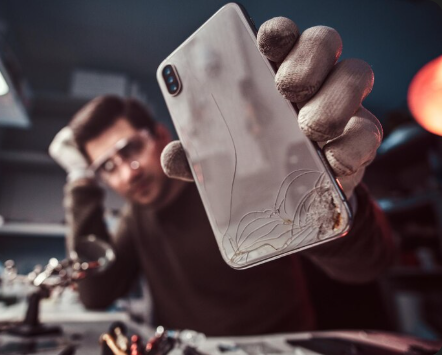
Your iPhone is more than just a phone; it’s your workstation, your memory vault, and your connection to the world. But whether you’re rocking the latest iPhone 17 Pro Max or a classic model, hardware issues are inevitable.
From shattered iPhone LCD screens to mysterious "ghost touches," understanding what goes on behind the repair desk can help you make the best decision for your device. Here is everything you need to know about professional mobile repair for your Apple devices.
1. iPhone LCD and Screen Damage
The display is the most vulnerable part of any smartphone. With the iPhone 17 Pro Max now featuring a massive 6.9-inch Super Retina XDR display, a single drop can be devastating.
The Problem: Cracked glass, vertical lines, or a completely black screen.
The Fix: A professional iphone repair service doesn't just swap the glass; they replace the entire iphone LCD or OLED assembly.
Pro Tip: Always ensure your technician uses OEM-grade parts to maintain True Tone and ProMotion functionality.
2. Battery Life & Power Struggles
Even the best batteries degrade. If your phone is shutting off at 20% or feels sluggish, your "Battery Health" has likely dropped below 80%.
Common Signs: Rapid draining, overheating during charging, or a swollen back panel.
The Solution: A quick battery swap usually takes less than 45 minutes and can make an old device feel brand new.
3. Water Damage Recovery
Despite Apple improving IP68 water resistance every year, no iPhone is truly "waterproof"—especially as seals age.
The Risk: Corrosion on the logic board can happen within hours.
What to do: Never put it in rice! Rice can leave dust and debris inside. Instead, turn it off and get it to a mobile repair specialist for an ultrasonic cleaning immediately.
4. Face ID and Camera Problems
Face ID is a complex array of sensors (the TrueDepth camera). If you see the "Face ID is not available" error, it’s often due to a minor drop or moisture.
The Complexity: Because these parts are cryptographically "paired" to your motherboard by Apple, they require specialized tools to repair without losing biometric security.
5. Buttons, Microphones, and Speakers
Is your "Action Button" sticking? Or perhaps people can't hear you during calls?
Microphone/Speaker Issues: Often caused by pocket lint or metal filings stuck in the grills. A professional cleaning usually fixes this, but deep-seated issues might require a modular component replacement.
Malfunctioning Buttons: Frequent use can wear out the haptic engines or physical flex cables.
Why Choose Professional Mobile Repair?
Modern iPhones—especially the iPhone 17 Pro Max—are masterpieces of engineering. Attempting a DIY fix without the right calibration software can lead to "Unknown Part" warnings or a loss of functionality.
At Mobile Care Solutions, we specialize in:
Genuine Parts: Ensuring your Apple warranty and device integrity remain intact.
Expert Diagnostics: Finding the root cause, not just fixing the symptom.
Fast Turnaround: Because we know you can't stay disconnected for long.
Is your iPhone acting up? Don’t wait for a small crack to become a total motherboard failure. Contact us today for a free diagnostic and get your device back to peak performance!
Support
Your trusted partner for tech repairs and solutions.
© 2025. All rights reserved.


Mobile Care Solutions
Our Services
Contact